
Reports
Scheduled reports
Scheduled reports are a powerful tool provided by Thellio docs. With scheduled reports, you can receive comprehensive data sets of specific devices directly to your email in the form of a CSV file. Whether you need it daily, weekly, or monthly, Thellio has got you covered. Stay informed and make data-driven decisions with our convenient reporting feature.
Are you having trouble reading your CSV file?
Use our guides on how to format your csv. Windows OS – Mac OS – Excel browser
Windows OS
- Comming soon
Mac OS
- By default, your Mac should be installed with the software Numbers. All you need to do is open the CSV, and it should automatically format it for you.
View in browser Microsoft office Excel (Both Windows OS and Mac OS)
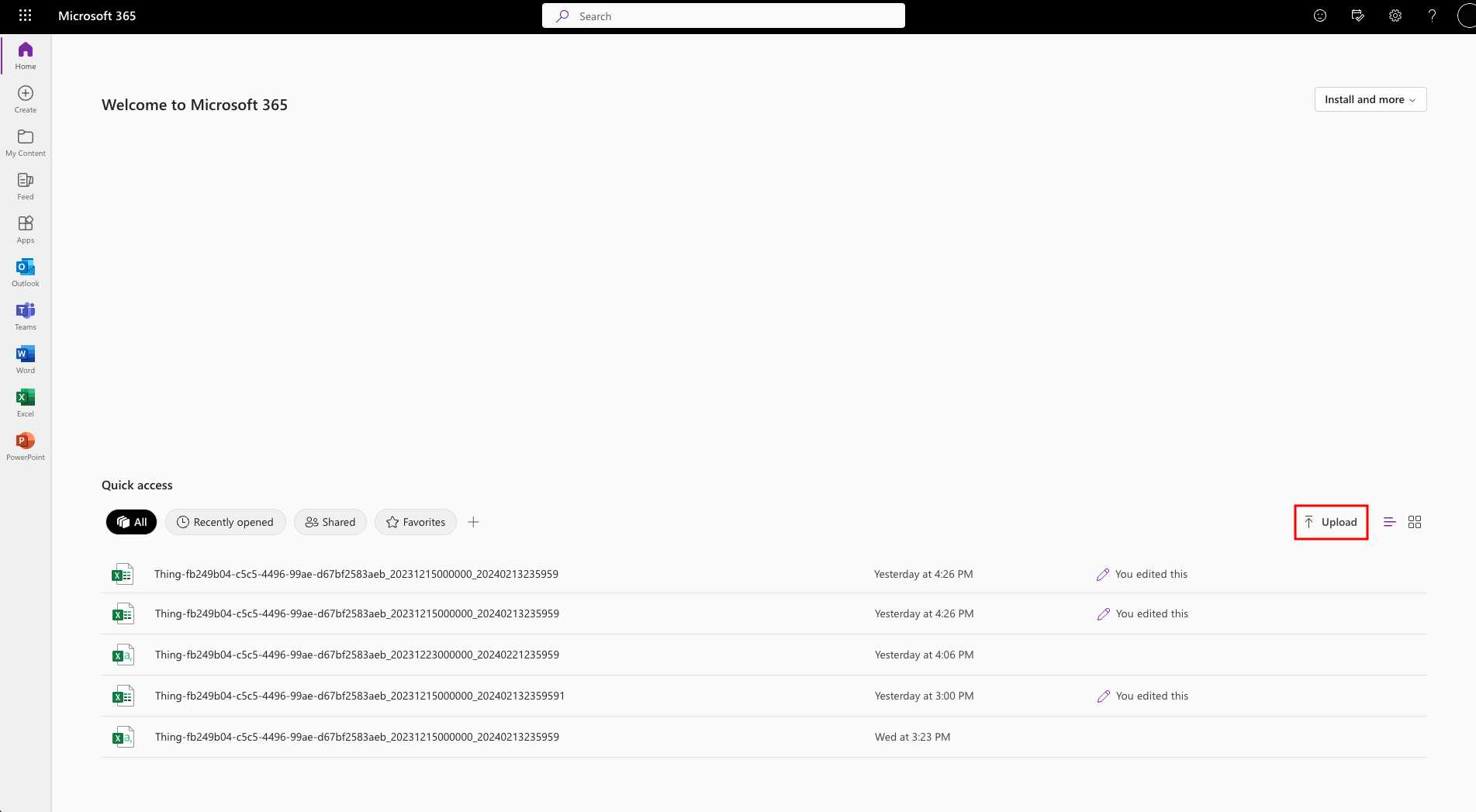
- Login to your Microsoft account by visiting https://www.microsoft365.com/.
- Once logged in, upload your CSV file by clicking the upload button. If Excel doesn’t open automatically, open the file manually in Excel.
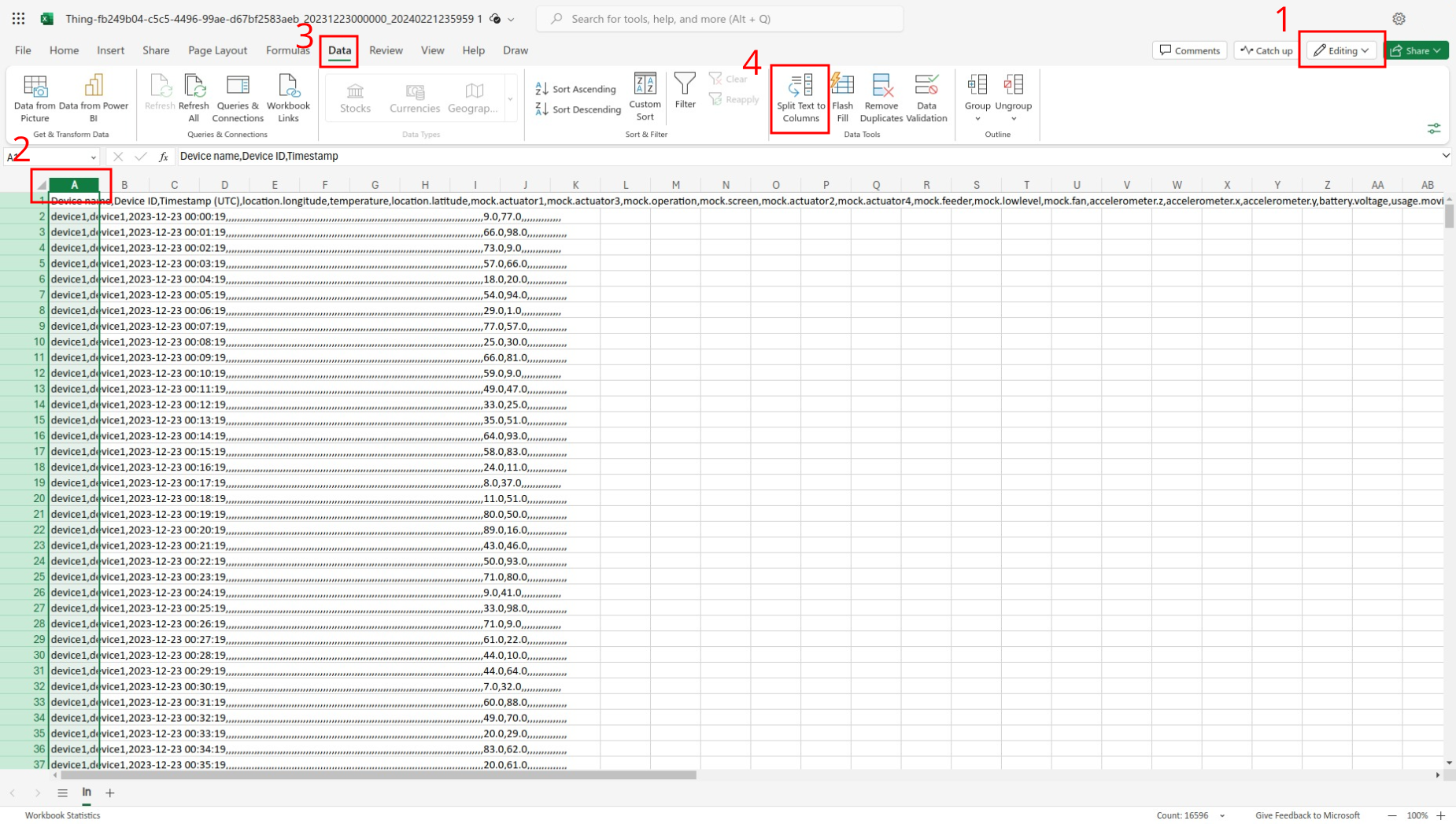
- Make sure the file is editable. if it’s not click the viewing option and select Editing instead.
- Select your columns by pressing the “A”.
- Select data in the top menu.
- Select Split Text to Columns
- Select commas as you delimiter and press apply.
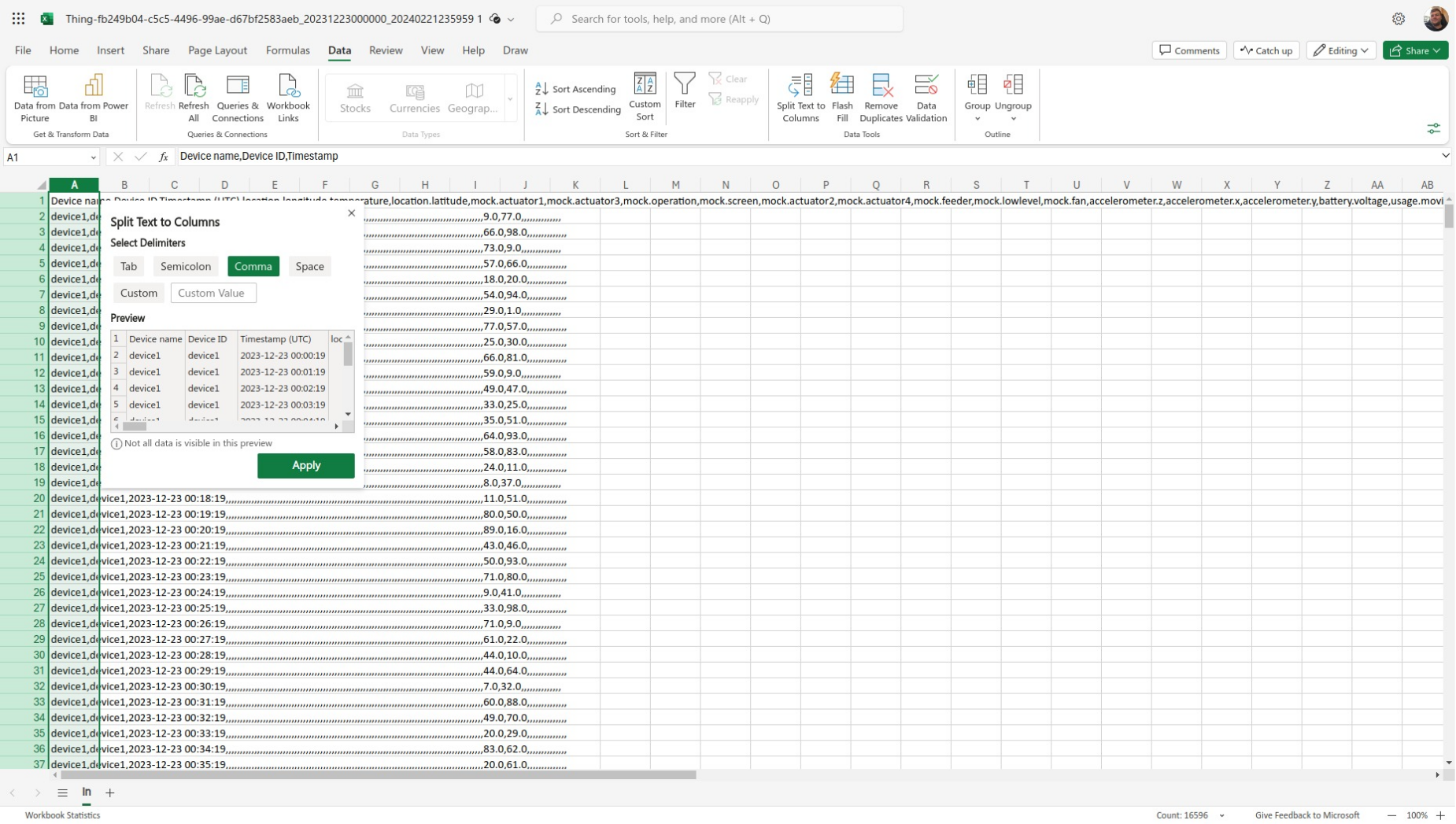
The file should now be formated better and easier to read.